
Best Thermostat Settings for Winter
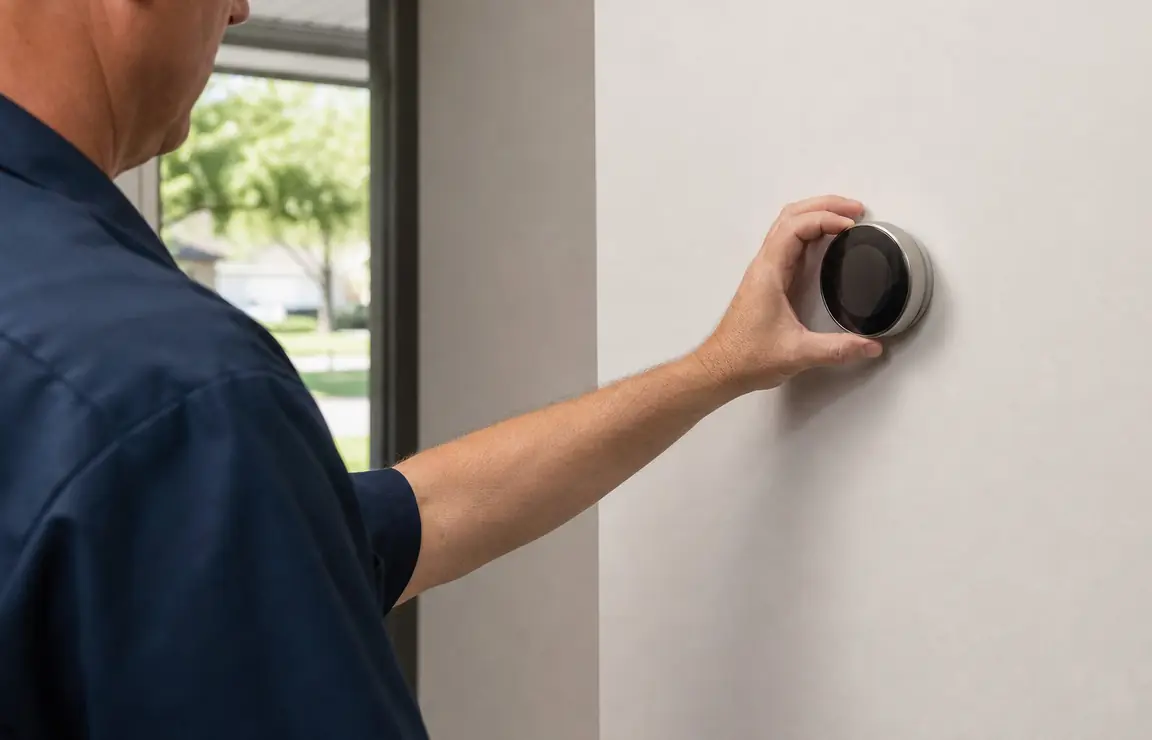
The best thermostat settings for winter are the lowest setting that keeps you comfortable while home, with a lower setting while you sleep or are away. Call us if the thermostat will not hold its setting; our heating and cooling inspection is $29.
Need help now? (469) 369-0748
Thermostat Settings for Winter Start With Your Routine
Choose a comfortable temperature for the hours you are home, then set the thermostat lower for sleep or time away. A schedule prevents the system from maintaining your daytime setting when the house is empty, without requiring you to keep changing it by hand.
There is no single temperature that suits every household. Start with a setting that feels comfortable in the rooms you use, then adjust in small steps and give the system time to respond before changing it again. Frequent large adjustments can make it harder to tell whether a setting or a heating problem is causing discomfort.
A winter thermostat setting also cannot correct a blocked supply register, a dirty filter, or uneven airflow. Check the basic controls and airflow before assuming the thermostat itself needs replacement.
A Winter Schedule Works Best When It Matches Your Day
One steady setting
Use this when someone is home throughout the day or when you prefer not to run a schedule. Keep the setpoint consistent and make small adjustments only when comfort calls for them.
A repeating schedule
Choose a programmable schedule when your wake, leave, return, and bedtime hours are fairly predictable. Set the lower periods around the hours you are asleep or away, and check that the schedule applies to every day you intend.
Manual changes
Manual control can suit changing work or school hours. Before leaving the thermostat at a new setting, check whether a saved schedule will later override your change.
Set Up Your Thermostat for Winter in Seven Checks
- Read the room temperature — Check the temperature shown on the display before changing anything. Compare it with how the room feels; a large or persistent mismatch is useful information to keep for troubleshooting.
- Select Heat — Set the system mode to Heat for winter operation. Check that the screen shows the heating mode rather than Cool or Off.
- Review the fan setting — Choose Auto if you want the system fan to run with a heating cycle instead of continuously. After selecting it, check that the fan stops when the system is not calling for heat.
- Set a comfortable home temperature — Raise or lower the setpoint to the lowest level that feels comfortable while you are home. Confirm that the display shows the target temperature you intended.
- Add sleep and away periods — Use the thermostat schedule to set lower temperatures for the hours you are asleep or away. Review the day and time shown on the screen so the schedule does not run at the wrong hours.
- Check batteries if the model uses them — Look for a low-battery message or a blank, fading display. Replace user-accessible batteries according to the thermostat instructions, then confirm the screen and settings return.
- Check airflow at the registers — Make sure supply registers are open and not covered by furniture, curtains, or rugs. If a room remains cold with clear airflow and the thermostat is calling for heat, note which rooms are affected before requesting service.
Need help now? (469) 369-0748
Heat, Auto, and Fan Settings Control Different Things
The mode and fan controls do separate jobs. Set the system mode for the season, then choose how the fan operates.
- Heat — Select Heat when you want the heating system to respond as indoor temperature falls below the setpoint. Check the display after selecting it to make sure the system has not remained in Cool or Off.
- Auto — On many thermostats, Auto lets the system choose between heating and cooling based on separate temperature settings. It can be convenient during changeable weather, but review both setpoints so an unintended cooling target is not active.
- Fan Auto — With Fan Auto, the fan generally runs when the system operates. This is a straightforward winter setting when you do not want the fan running continuously.
- Fan On — Fan On runs the blower continuously, including between heating cycles. Use it only if you want that ongoing air circulation; check whether the airflow feels comfortable in the rooms you use.
Heat Pump Thermostat Settings Need the Correct System Mode
A heat pump heats the home through its normal heating cycle, and some systems use supplemental or backup heat when conditions call for it. Use the Heat setting for routine operation and follow the instructions for your specific thermostat and system rather than switching modes to chase a faster temperature change.
A heat-pump display may show an auxiliary-heat indicator during a heating cycle. If it appears often in mild weather, or the house keeps losing temperature, note the outdoor conditions and what the display shows. Those details help a technician distinguish normal system operation from a control or equipment issue.
ENERGY STAR’s heating and cooling guidance includes filter checks and seasonal system maintenance. A thermostat setting cannot make up for restricted airflow or a heating system that is not operating correctly.
A Cold Room Can Point to Airflow or a Thermostat Reading Problem
Check what the system is doing before changing the setpoint repeatedly. These signs help you decide whether to correct a simple setting or arrange an inspection.
- The display is blank or fading — Check for a low-battery message and replace accessible batteries if the thermostat uses them. If the screen stays blank, the control may need inspection.
- The room temperature does not match the display — Notice whether the thermostat is near a window, draft, direct sunlight, or a supply register. A location affected by a nearby heat source or draft can give a misleading reading; persistent disagreement calls for a closer check.
- One room stays cold — Check that the room’s register is open and unobstructed. If other rooms warm normally but this one does not, note the room and whether air comes from its register.
- The system does not respond to a setting change — Confirm that the mode is Heat and that the setpoint is above the displayed room temperature. If the system still does not respond, or repeatedly starts and stops, stop making large adjustments and request HVAC service.
Need help now? (469) 369-0748
Choose a Winter Thermostat That Fits How You Control Heat
A replacement thermostat should match your routine and your heating system. The control type matters less than correct compatibility, clear settings, and a schedule you will actually use.
Keep the current thermostat
Keep it if the display reads consistently, the system responds to Heat, and its schedule meets your needs. A replacement is not necessary just because the controls are not new.
Use a programmable thermostat
Consider a programmable control when your household follows a repeating routine and you want the temperature to change automatically at set times. Check that the schedule is easy for you to review and update.
Consider a connected thermostat
A connected model can suit you if you want to change settings through a phone. Confirm compatibility with your heating equipment and existing wiring before choosing a model.
Call for HVAC Service When Winter Settings Do Not Restore Heat
Request service when the thermostat is set to Heat but the system does not respond, the temperature keeps falling, or the control repeatedly loses its settings. Before calling, note the displayed mode, room temperature, target temperature, any warning or auxiliary-heat message, and which rooms feel cold.
Michael Anderson, the owner, has 28 years of experience with heating and air conditioning. We inspect heating or cooling problems for $29, and our thermostat installation service can address a control that needs replacement. For other signs that a control may be failing, see our guide to symptoms of a bad thermostat.
Frequently asked questions
What thermostat setting should I use when I leave for the day?
Set the temperature lower than your home setting while you are away, then schedule it to return to your comfortable setting around the time you expect to be home. The right setting depends on your comfort and household routine; check that the thermostat clock and schedule match your actual hours.
Should my thermostat be on Heat or Auto in winter?
Use Heat for straightforward winter operation. Auto can switch between heating and cooling on thermostats with separate heat and cool targets, so check both settings to avoid an unwanted cooling call.
Should the thermostat fan be set to Auto or On in winter?
Fan Auto runs the fan with system operation, while Fan On keeps it running between heating cycles. Choose Auto if you do not want continuous airflow, and check that the fan stops between calls for heat.
How do I know if my thermostat is bad?
A blank or fading screen, settings that do not stay saved, or a system that does not respond after you confirm Heat mode and the setpoint can point to a control problem. Check accessible batteries first if the model uses them; if the problem continues, arrange an HVAC inspection.
Need Help With Winter Heating?
Call Dallas 24 Hour HVAC or contact us if your thermostat settings are right but the system still will not heat.